
Built for professional interpreters, by an interpreter.
Keep the conversation visible.Keep interpreting.
Whisker keeps the client and the person you’re interpreting for visible with live transcription and reference translation—so you can retain context without taking constant notes, while staying in control of the interpretation.
Built to replace the notebook—not the interpreter.
Run locally with Whisker Engine, or connect your own Soniox, Deepgram, or Speechmatics account.
See the workflow in actionChoose a demo
Pick a setup above, then click the recording to start.
Ready
The interpreter workflow
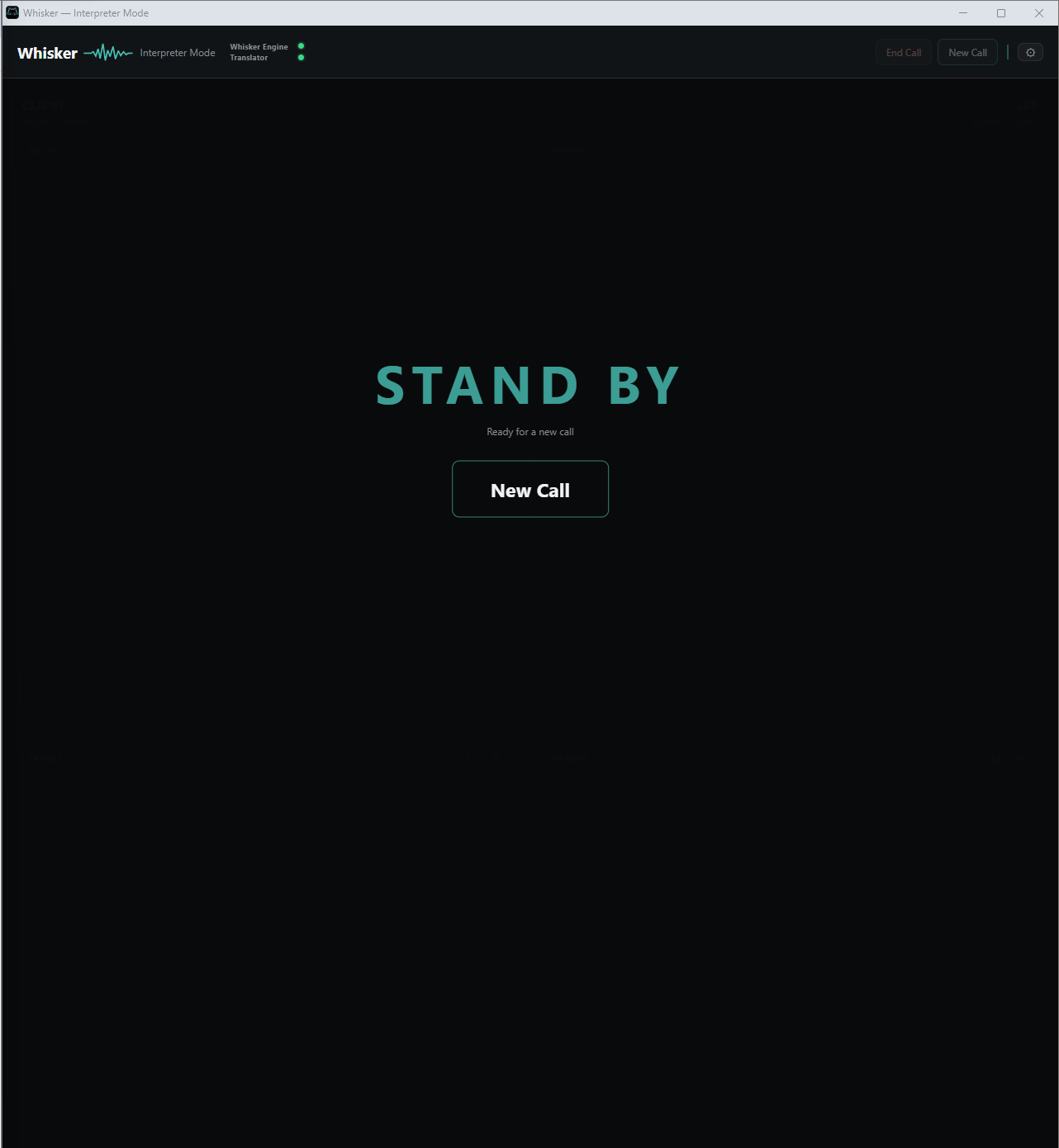
One conversation. Two sides. Kept in context.
Generic captions flatten every voice into a single stream. Whisker keeps Client and LEP separate, with the live transcript in Native (original language) and a reference translation in Target (the language you're going to interpret to)—so the conversation stays readable without taking control away from the interpreter.
Client / LEP
Each side keeps its own recent context instead of collapsing every voice into one running transcript.
Native / Target
Native is the original language transcript. Target is a live reference translation—use it to check unfamiliar terms while interpreting in your own voice.
Routing stays yours
Manual routing is the default. Automatic routing is optional when the selected provider supports diarization.
Reference translation
Translation when you need it. Judgment stays yours.
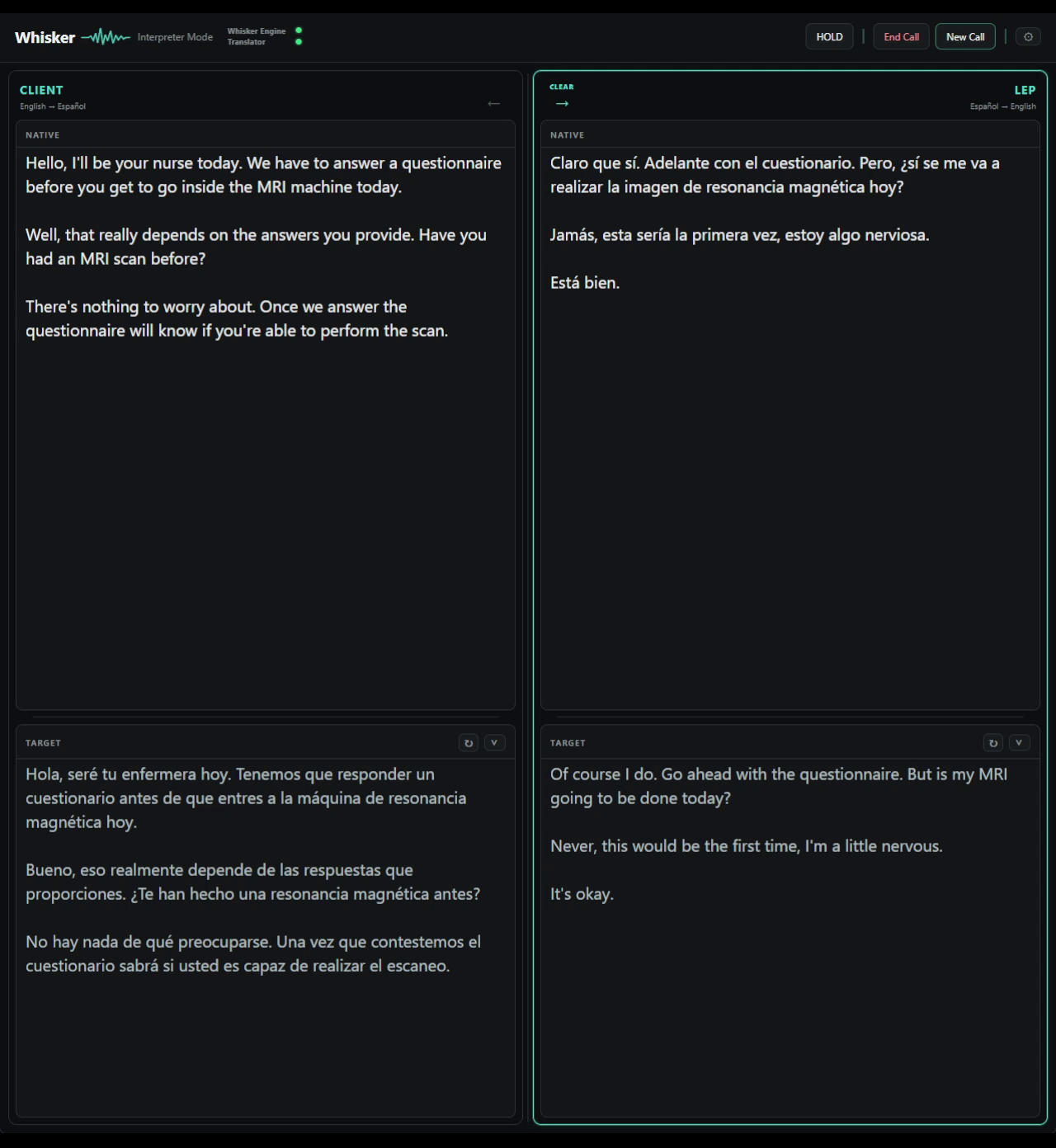
Target stays beside the confirmed Native transcript as a live second-language reference. Use it to check an unfamiliar term or formulation, then continue interpreting in your own voice.
- Confirmed source
- Target follows confirmed Native text—not provisional words that are still changing.
- Correctable
- Edit confirmed Native text when a term is missed and the reference follows the corrected source.
- Optional layer
- Keep Target visible for support or collapse it per side while transcription continues.
Whisker displays a reference. It does not make the interpretation.
The Whisker stack
Local first. Cloud optional.One workflow, either way.
Transcription and translation are separate choices. Run them on your computer, or use the cloud where you choose.
Choose where audio runs. Keep the translation boundary clear.
- Whisker Engine
- Turns speech into text on your machine without needing a cloud transcription account.*
- Whisker Translator
- Produces a live reference translation locally from confirmed words.
- Why local
- In Local mode, the call stays on your computer and live content is temporary by design.
- Privacy by design
- No saved transcripts, audio, or clip recordings. Whisker receives no call data; the only server connection is for licensing.
*Real-time local transcription requires a modern GPU. Cloud audio goes only to your selected provider; translation stays local unless cloud translation is selected.
The live conversation.
Whisker's own speech-to-text, running locally on your computer.
Cloud speech-to-text from Soniox, Deepgram, or Speechmatics.
The live source text, from provisional to confirmed.
Compatible with every transcription source.
Optional provider-native Target translation.
The language you're interpreting into.
Choose the engine. Control the cost. Compare the difference.
Local or cloud
Your way of working stays consistent. The choice stays yours.
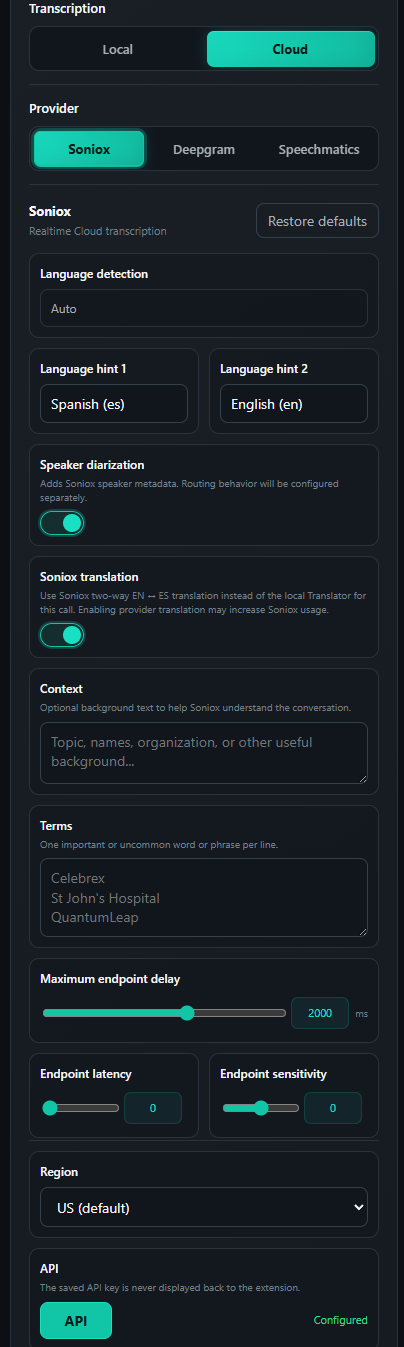
Choose the engine that fits the call: Whisker Engine on your machine, or your own Soniox, Deepgram, or Speechmatics account in the cloud.
- Local
- Run Whisker Engine, our own whisper.cpp build, on your machine without a cloud transcription account.*
- Cloud
- Connect Soniox, Deepgram, or Speechmatics with your own API key.
- Control
- Change the transcription engine without changing the Interpreter workflow.
*A modern GPU is required for real-time local transcription.Validated hardware
Cloud usage is billed directly by the selected provider.
Provider credits
Start with the credits you already have.Keep the provider choice yours.
Connect your own provider account and use any eligible welcome credits from day one. The 7-day Whisker trial gives you time to test the full workflow before paying out of pocket.
*Deepgram estimate: $200 ÷ ~$0.35/hour for Nova-3 multilingual. Credit eligibility, expiration, and final rates are set by each provider. Speechmatics Melia 1 realtime beta pricing is currently TBA.
Explore the full workflow before spending a cent out of pocket.
The 1.0 offer
A perpetual license.No Whisker minute meter.
The commercial model is simple: buy Whisker once, keep the workflow, and choose whether transcription runs locally or through your own provider account.
Read the licensing and privacy detailsChecking availability…
Perpetual license
Checkout opens securely in Creem. Your license is delivered after payment confirmation.
Created by an interpreter
Lico — Creator of Whisker
A professional interpreter with a technical background, building Whisker from direct experience of the work.